Step 1: Go to topline.com
Go to topline.com and log in to your account to access the home page.

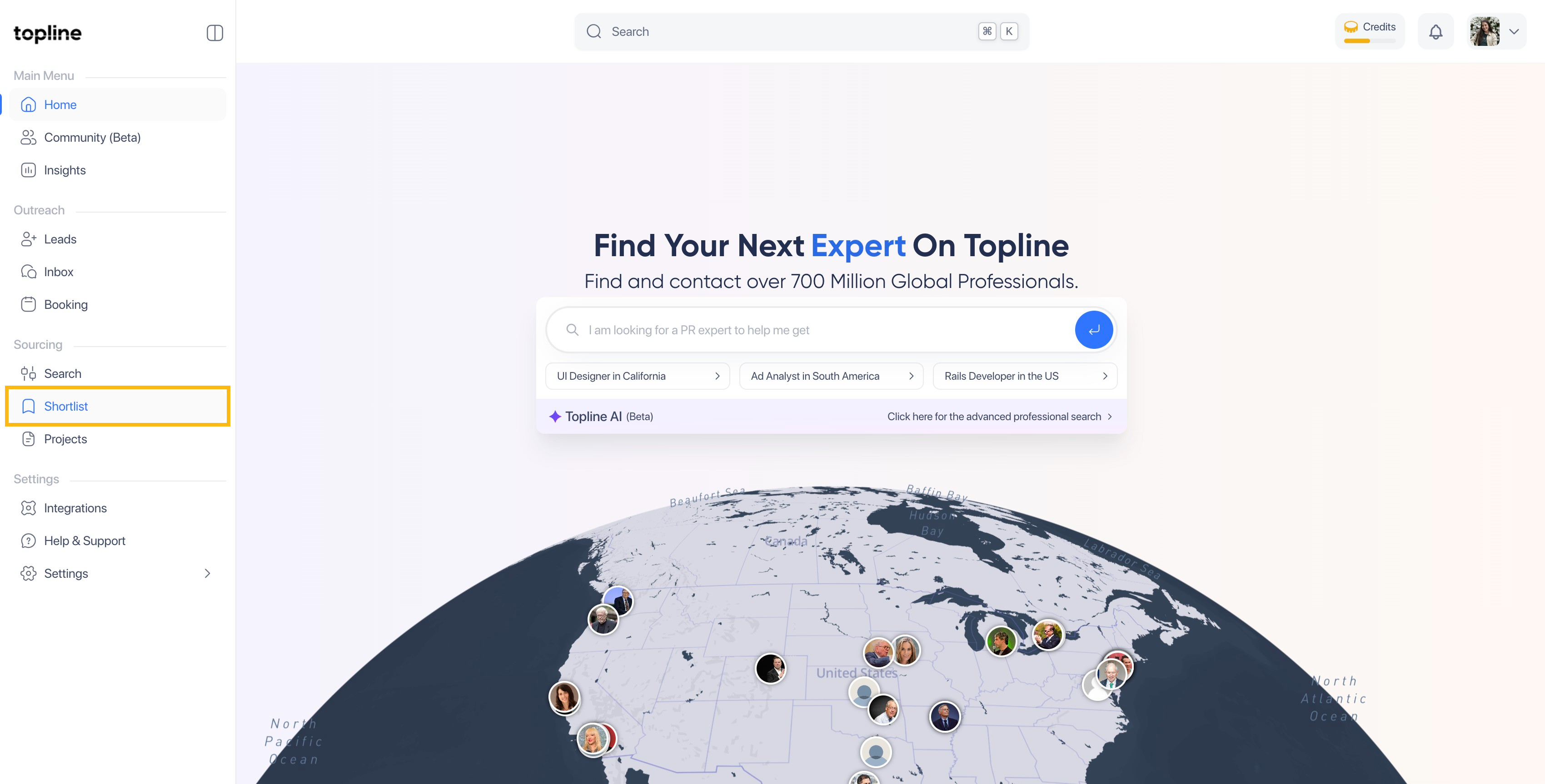
Step 2: Click on Shortlist
On the left side menu, click on Shortlist.
Step 3: Select your shortlist
Select the shortlist you need to create the custom link for.

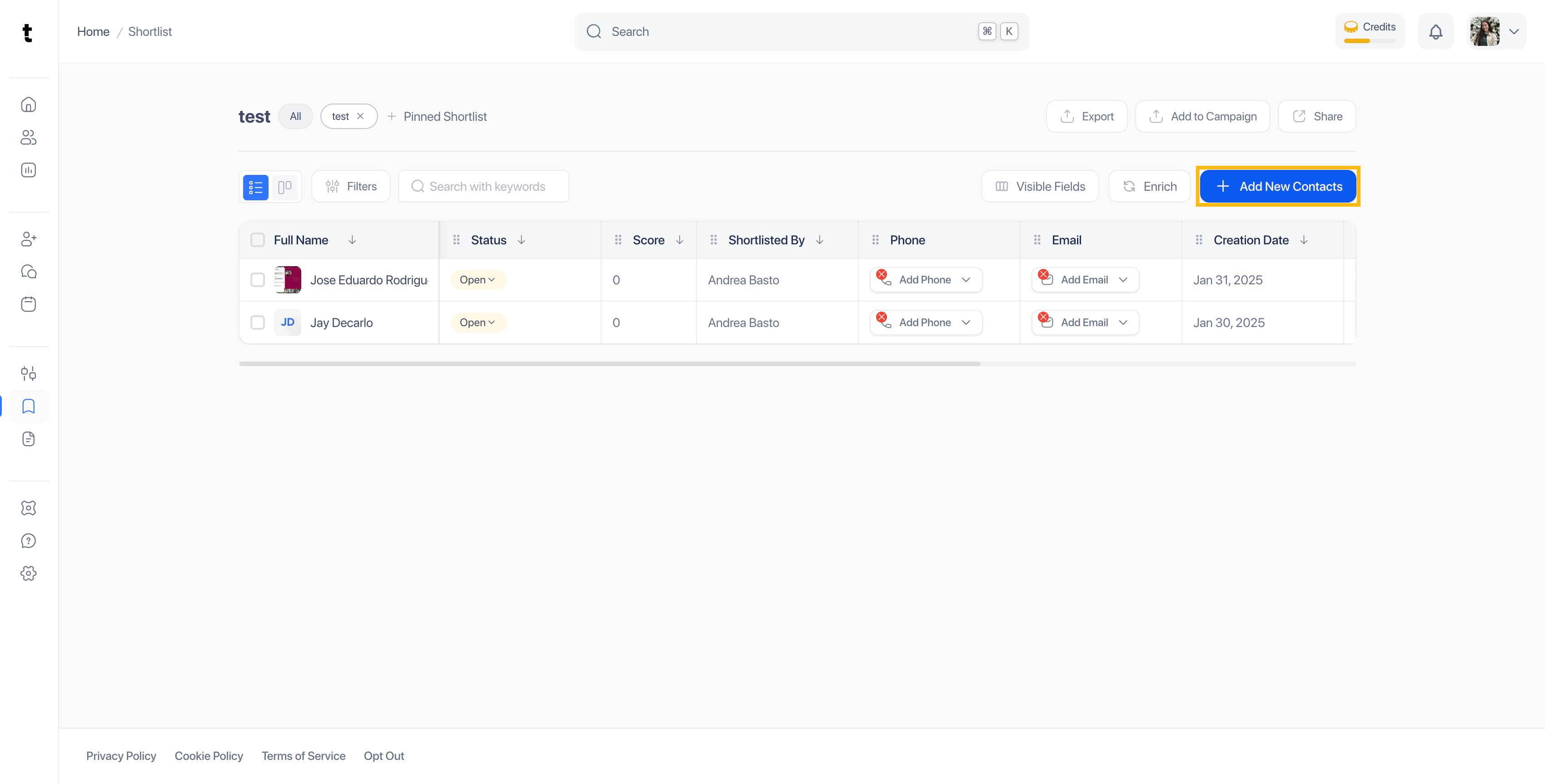
Step 4: Click on Add New Contacts
Click on the Add New Contacts button located on the right side of the view.
Step 5: Choose Share Invite Link
You can add contacts to your shortlist in four different ways: from topline.com, importing from CSV, inviting to apply and share an invite link. In this case, we will use the last one.

Step 6: Click on Copy Link
To share your invite link, click on Copy Link.

Step 7: Link View
The link will take your applicants to a view like this one.

Step 8: Applicants Shortlisted
The applicants invited that completed their profile, will appear inside the Shortlist view.

