Step 1: Go to topline.com
Using your preferred browser, go to topline.com.

Step 2: Go to Shortlist
Go to the Shortlist option, on the left side menu.

Step 3: Select your Shortlist
Select the shortlist you wanna add your contacts to.

Step 4: Click on Add New Contacts
On the upper right corner of the view, click on Add New Contacts.

Step 5: Click on Import Now
To import contacts from a CSV file, go to the Import from CSV option, and click on Import Now.

Step 6: Upload your CSV file
You can drag and drop your file, or click on the space to upload it.

Step 7: Click on Import Now
Once you have added your file. click on Import Now.

Step 8: Match your Profiles
The profiles added will be automatically match with Topline profiles.
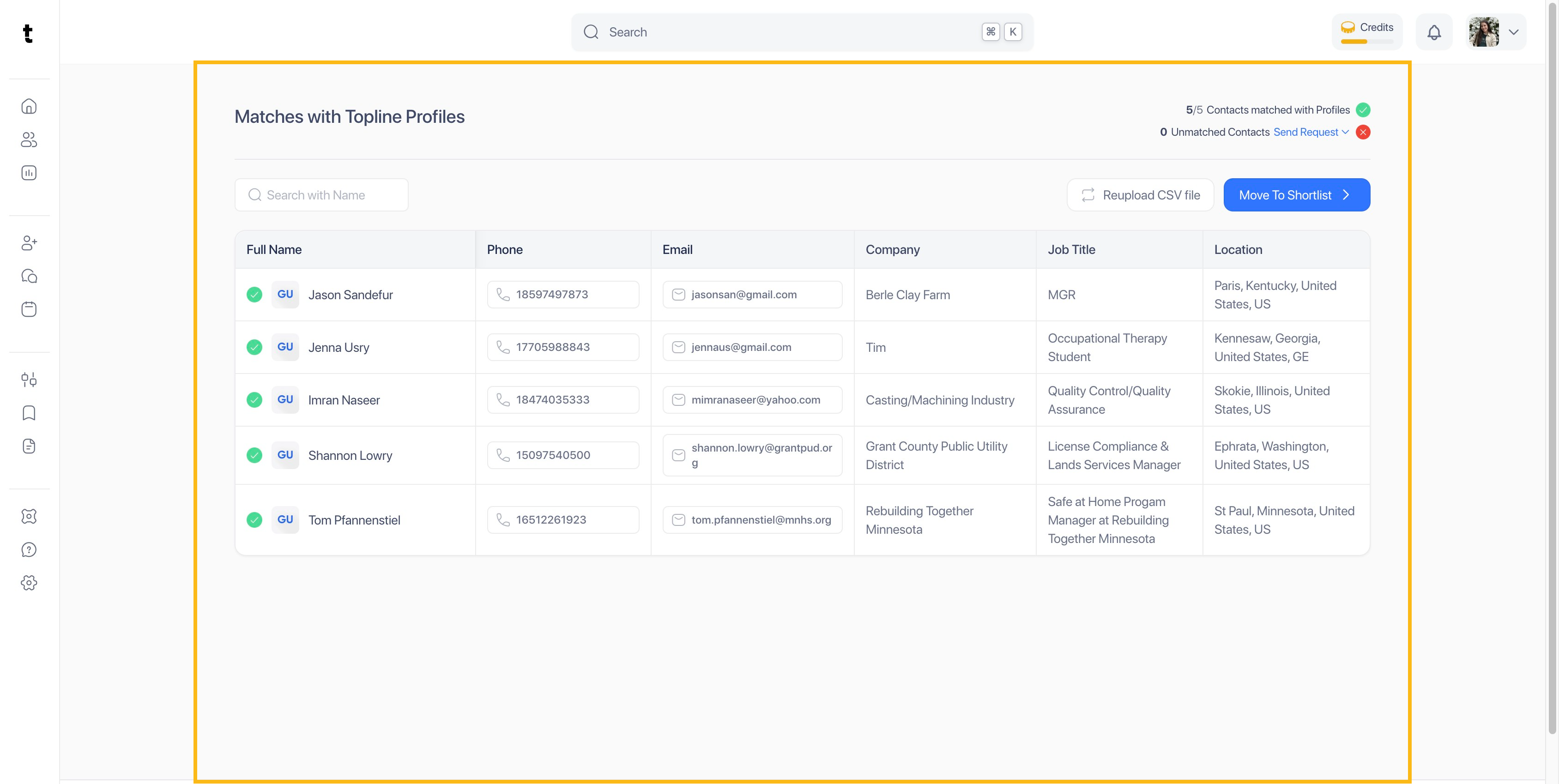
Step 9: Click on Move To Shortlist
Once your contacts have been added or matched, click on Move to Shortlist.

Step 10: Select Shortlist
Tick the box of the shortlist where do you want to add your contacts to.

Step 11: Click on Add now
Once you have selected your shortlist, click on the Add now button.

