Step 1: Search Tab
Go to the left middle panel and the click Search tab.

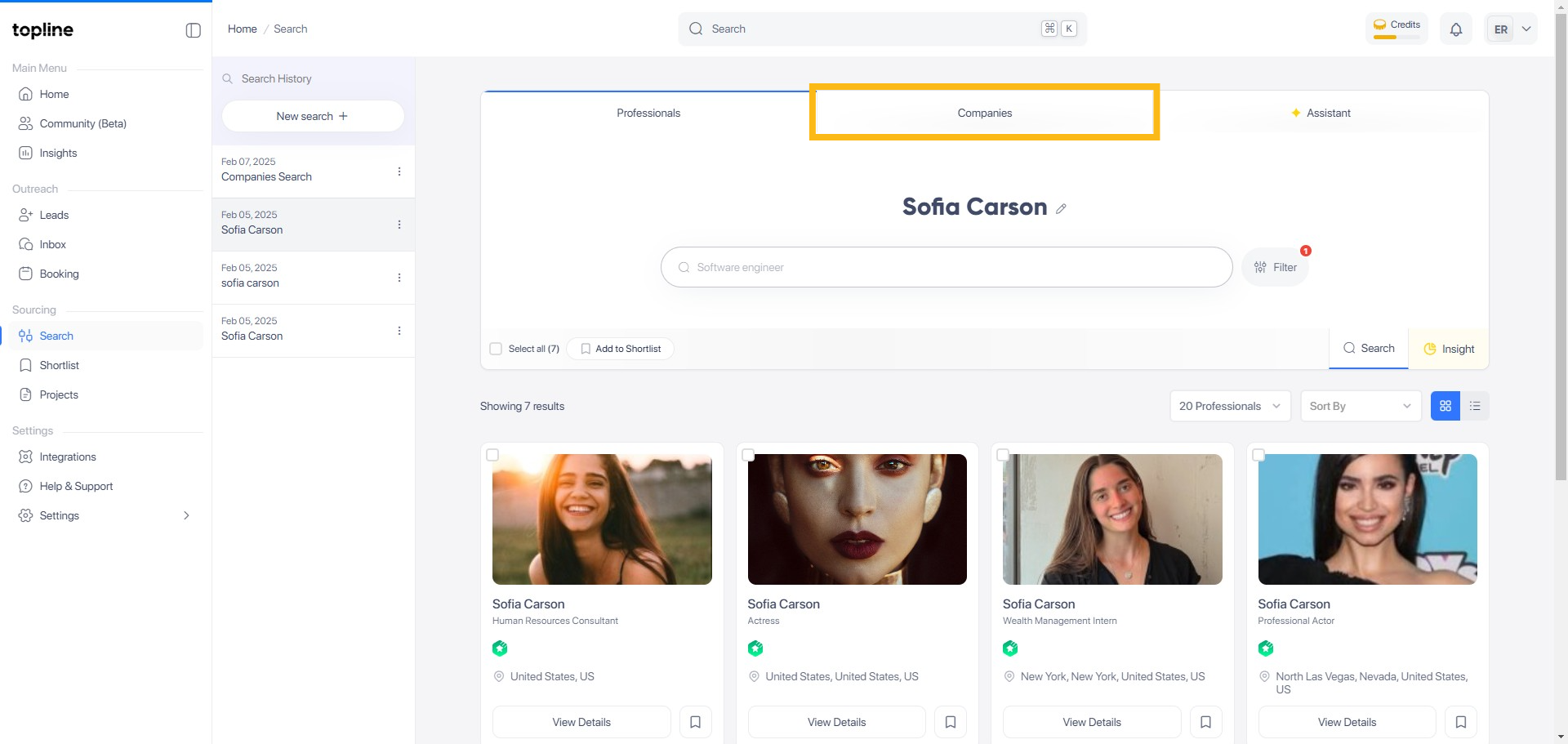
Step 2: Companies
In the search page, locate and click on the Companies category to focus your search on company profiles.
Step 3: Filter Menu
Click the 'Filter' button once to open the filter menu.
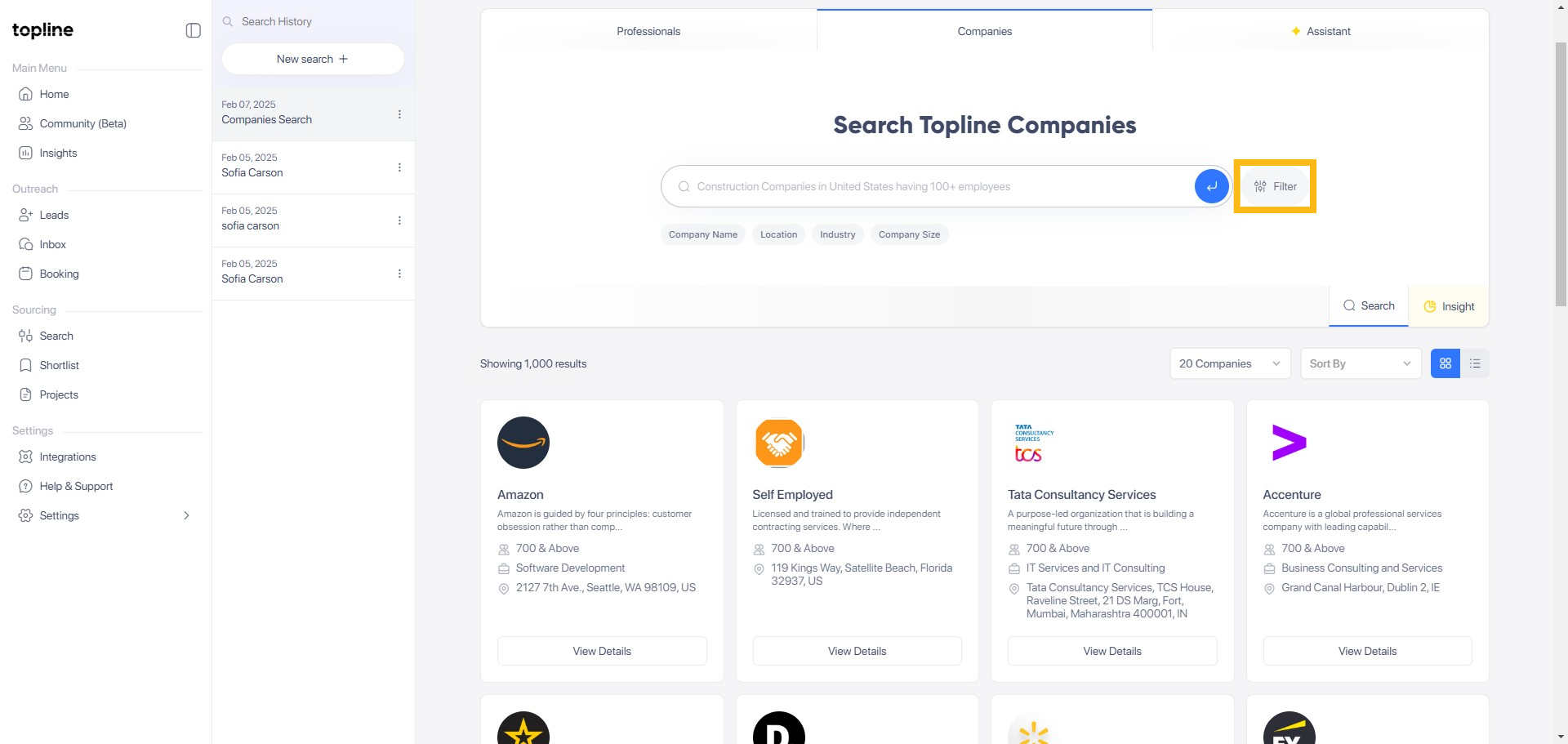
Step 4: Set Filter Criteria
Click the 'Filter' button again to set your desired filter criteria.

Step 5: Search Bar
Enter the name of the Company you are looking for in the search bar on the page and press Enter to narrow down your search results.

Step 6: View Details
From the filtered list, click on View Details button to see more information about the selected company.

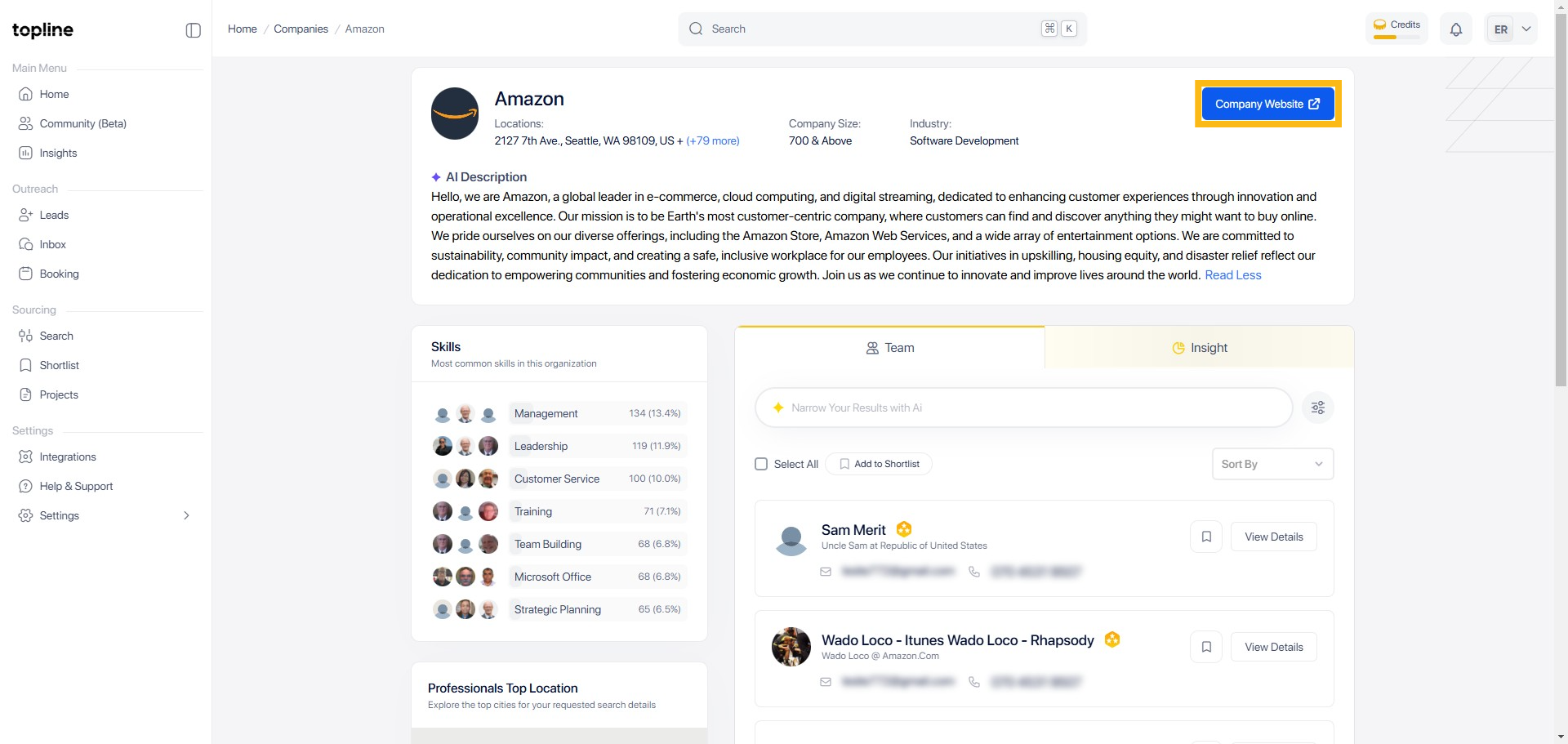
Step 7: Read More
Click Read More to expand the Company bio.

Step 8: Company Website
Click on the Company Website button to see the detailed company page.