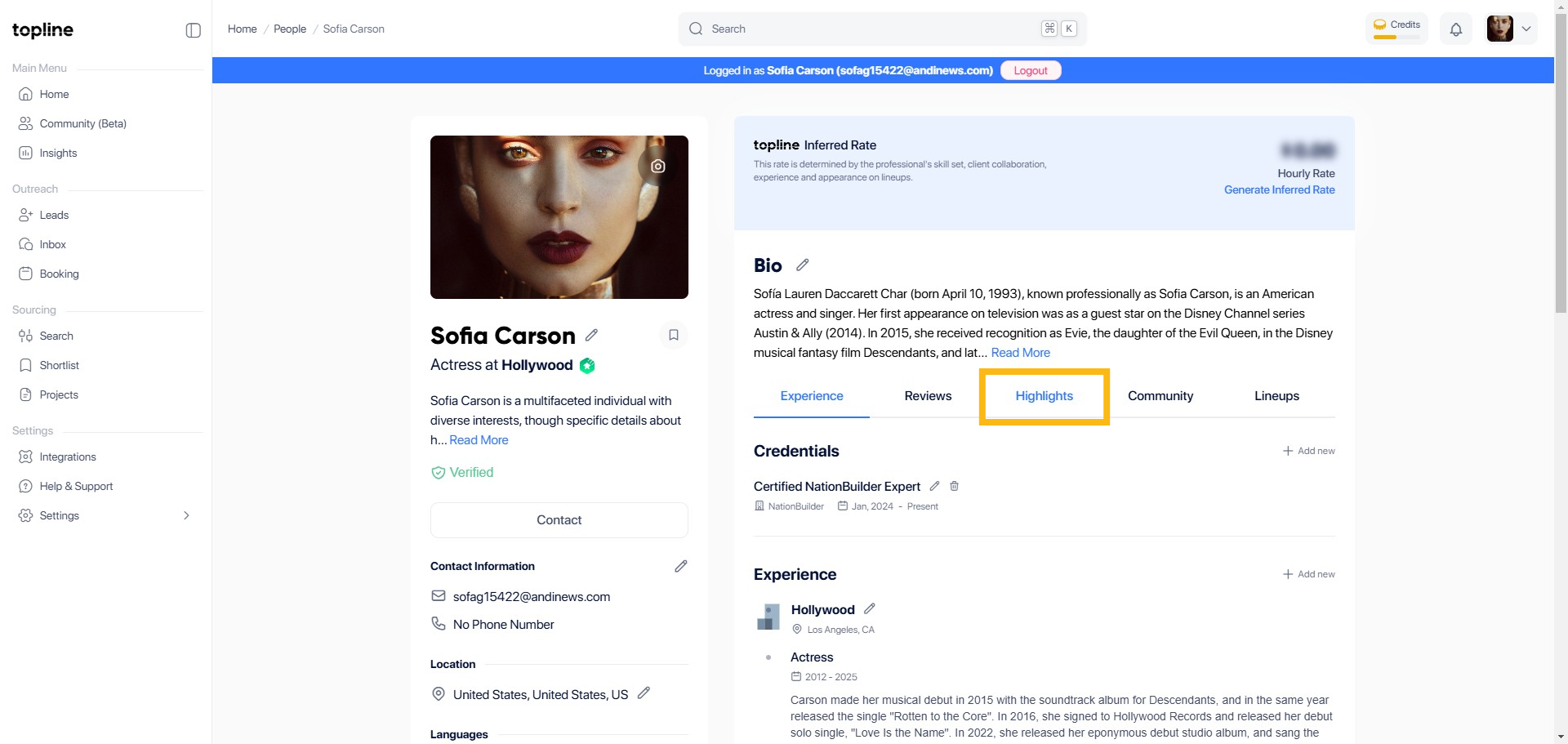
Step 1: Click Highlights
Go to the Highlights section of your profile page. This is where you can manage your featured content.
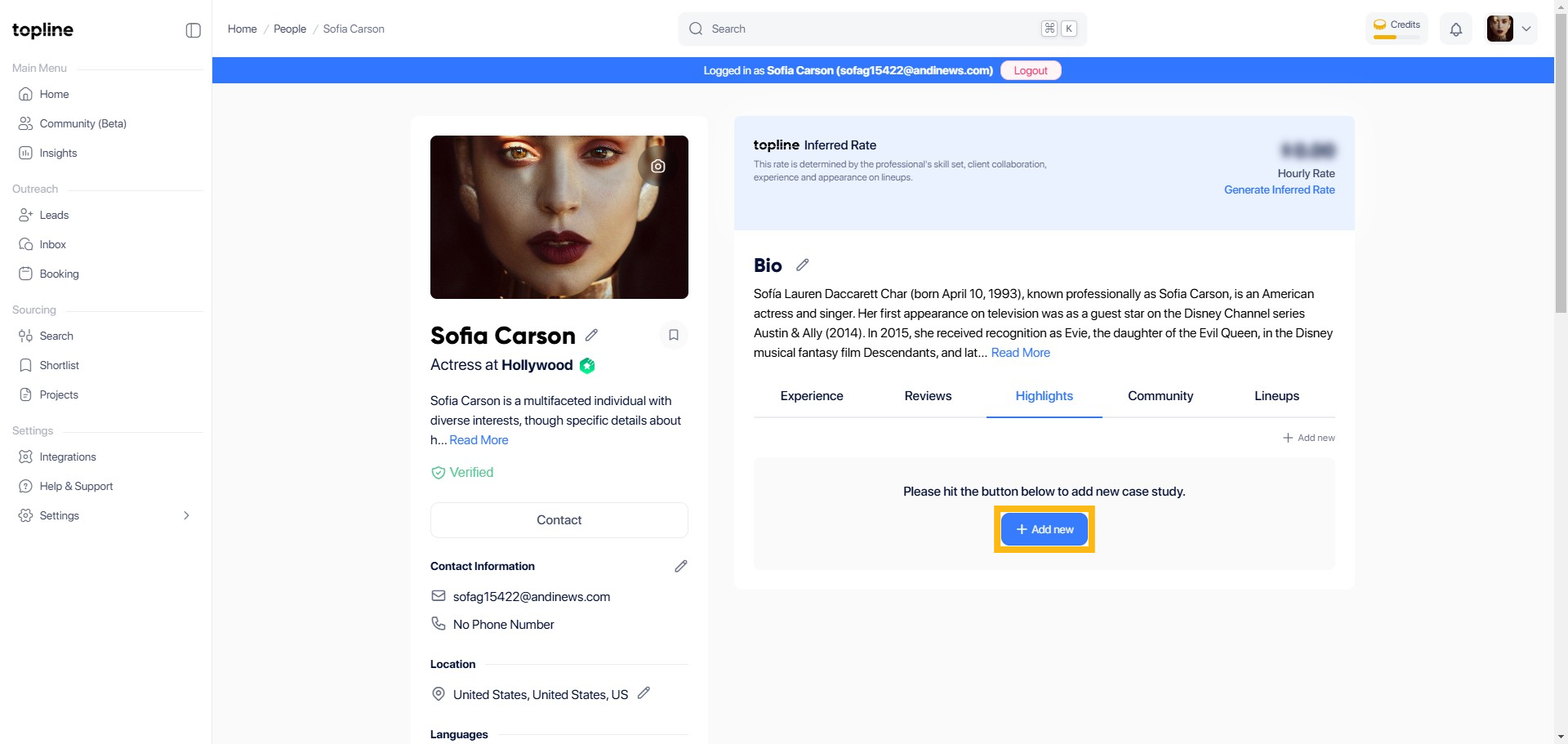
Step 2: Click + Add New
Within the Highlights section, find and click on the + Add New button. This option allows you to add portfolio.
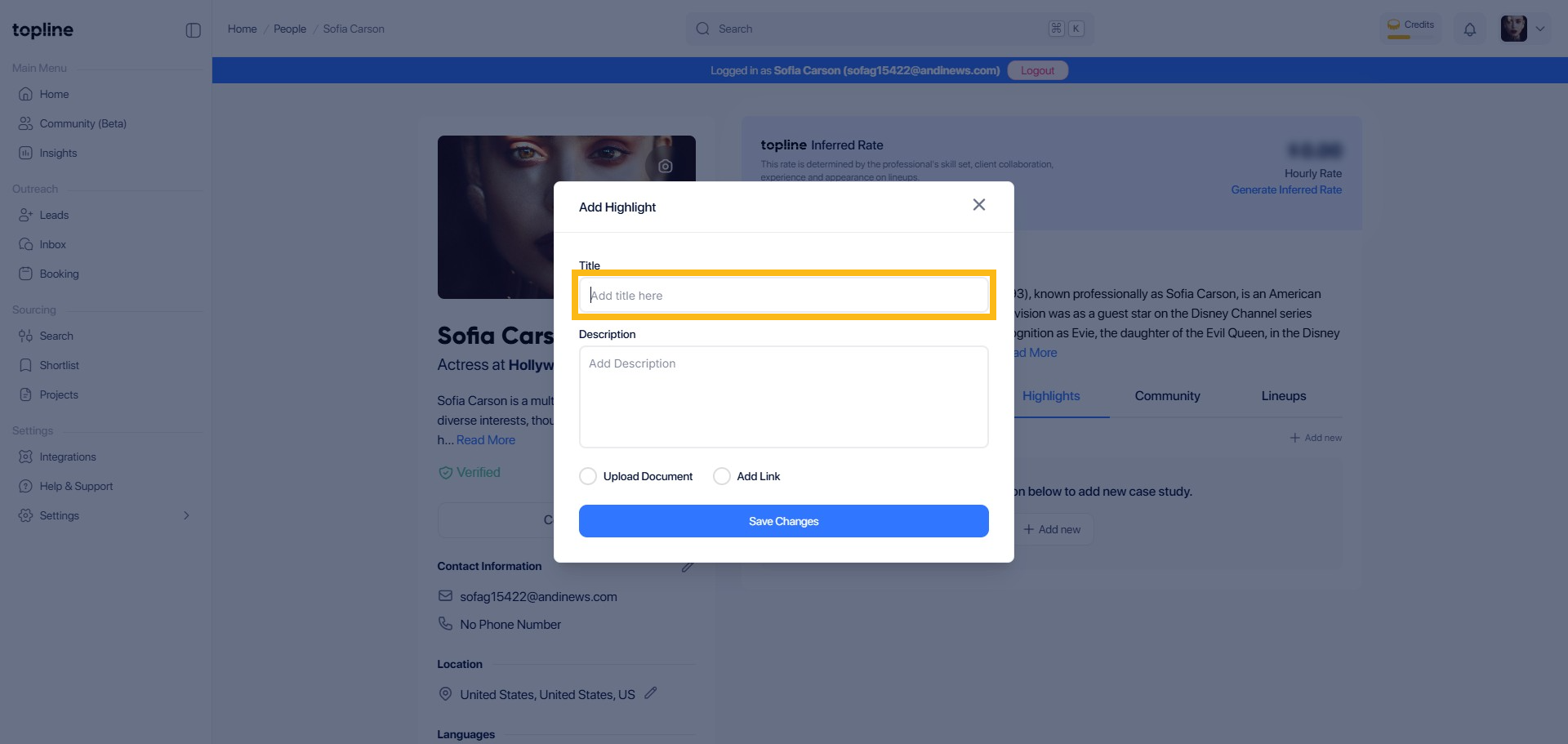
Step 3: Add Title
In the new entry form, find the field labeled or described as Title and enter the value portfolio. This helps in identifying your document upload.
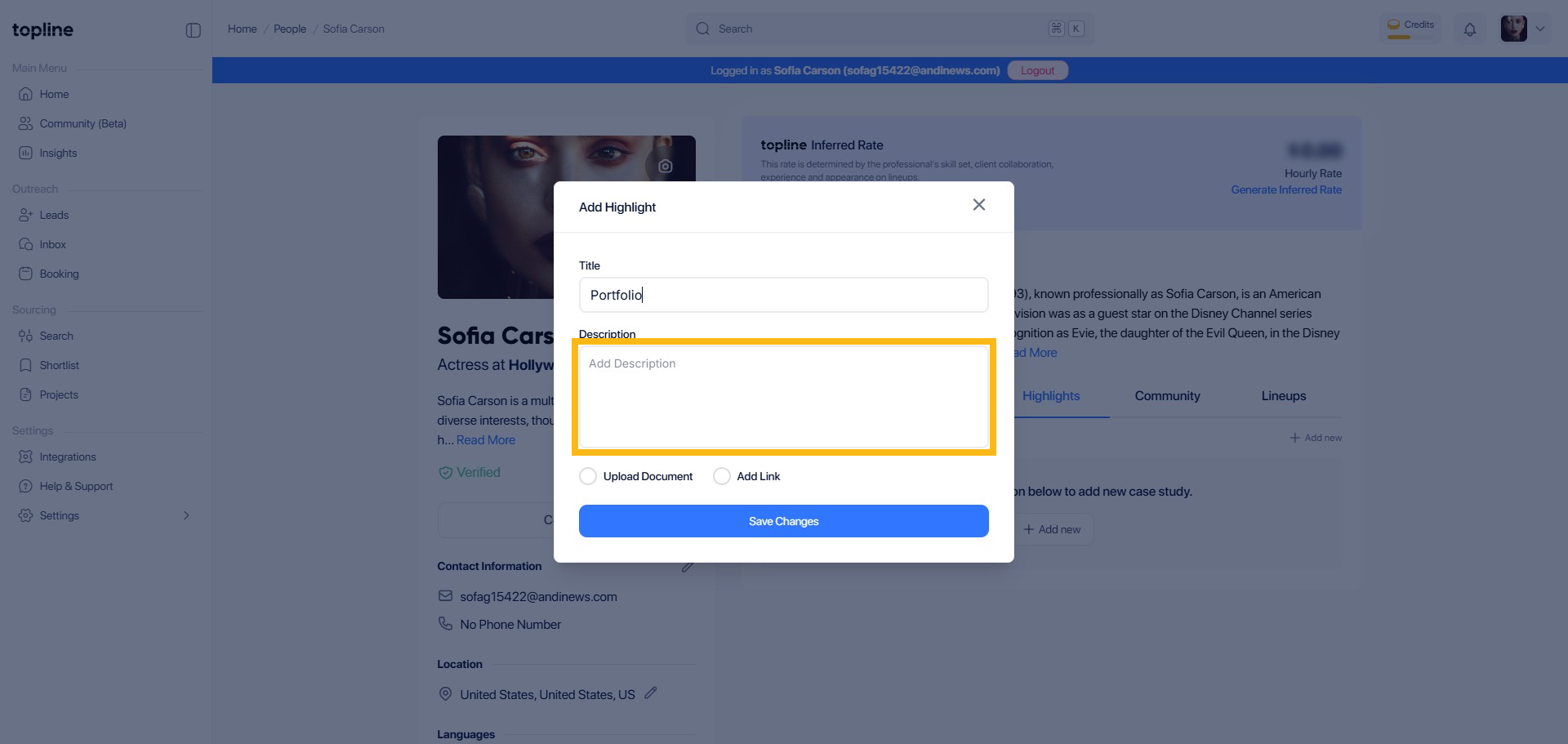
Step 4: Add Description
In the input field provided, you can add description here.
Step 5: Tick the Circle to Add Link
In the same form, Tick the circle to Add Link. This will allow you to upload your portfolio in a new tab.

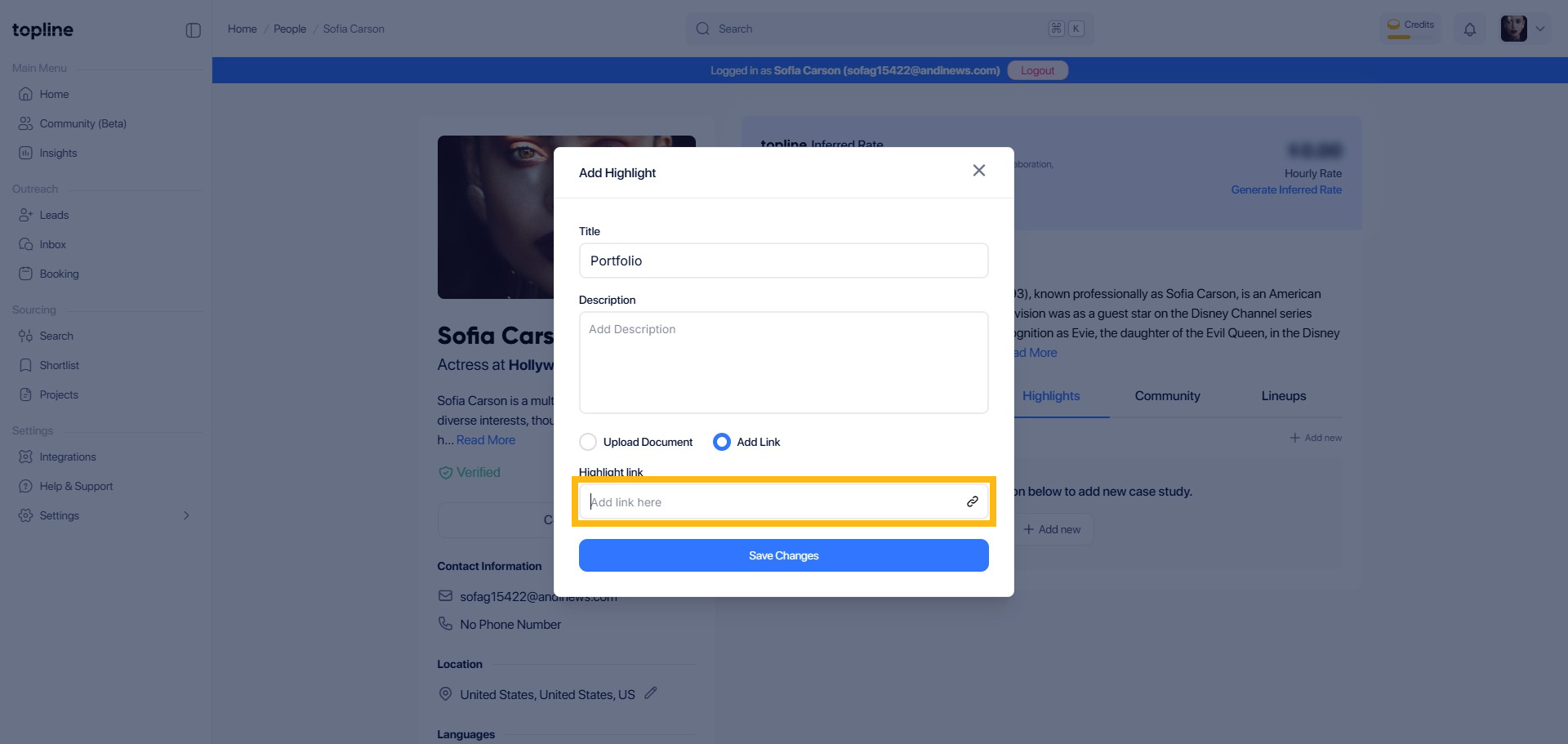
Step 6: Add Link
In the next input field, enter the URL of your portfolio.
Step 7: Save Changes
Finally, click Save Changes to complete the process and update your profile with the new portfolio item.

