Step 1: Go to topline.com
On your preferred browser go to the topline.com home page.

Step 2: Go to Shortlist
On the left side menu, click on the Shortlist option.

Step 3: Click on Pinned Shortlist
Go to the upper side of the view, click on Pinned Shortlist.

Step 4: Select your Shortlist
From the dropdown, select the shortlist you want to share with your team members.

Step 5: Click on Share
Go to the upper right corner and click on the Share button.

Step 6: Click on Copy Link
A pop up window will appear with two options, click on Copy Link on the Get the public link option.

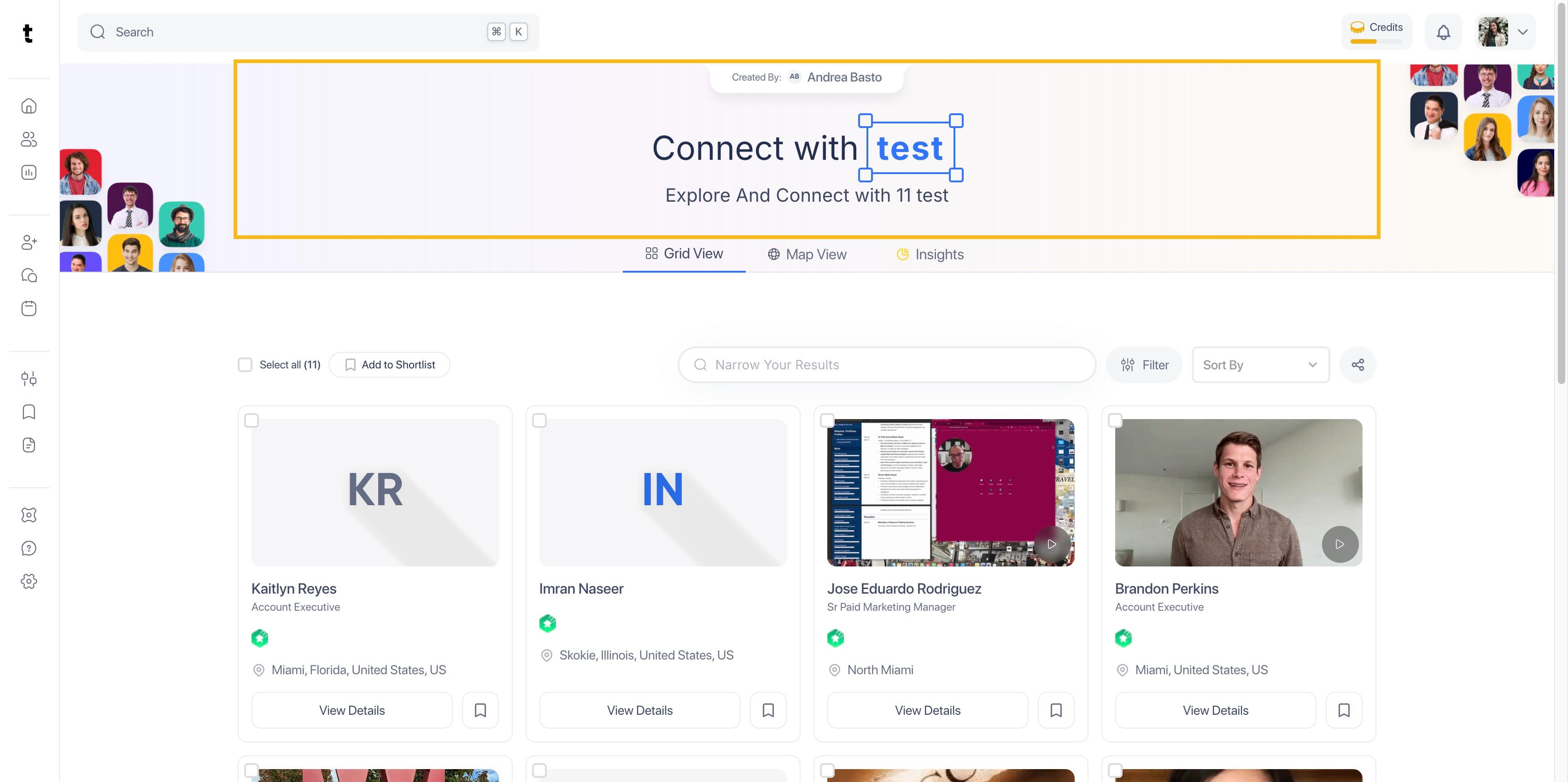
Step 7: Shortlist Link View
The link will take your team member will see your shortlist like this, where they can visualize all the applicants and explore their profiles.