Step 1: Find a Profile
Find a profile by entering the name in the designated text field and press Enter to search.

Step 2: Click View Details
From the filtered list, click on View Details button to see more information about the selected profile.

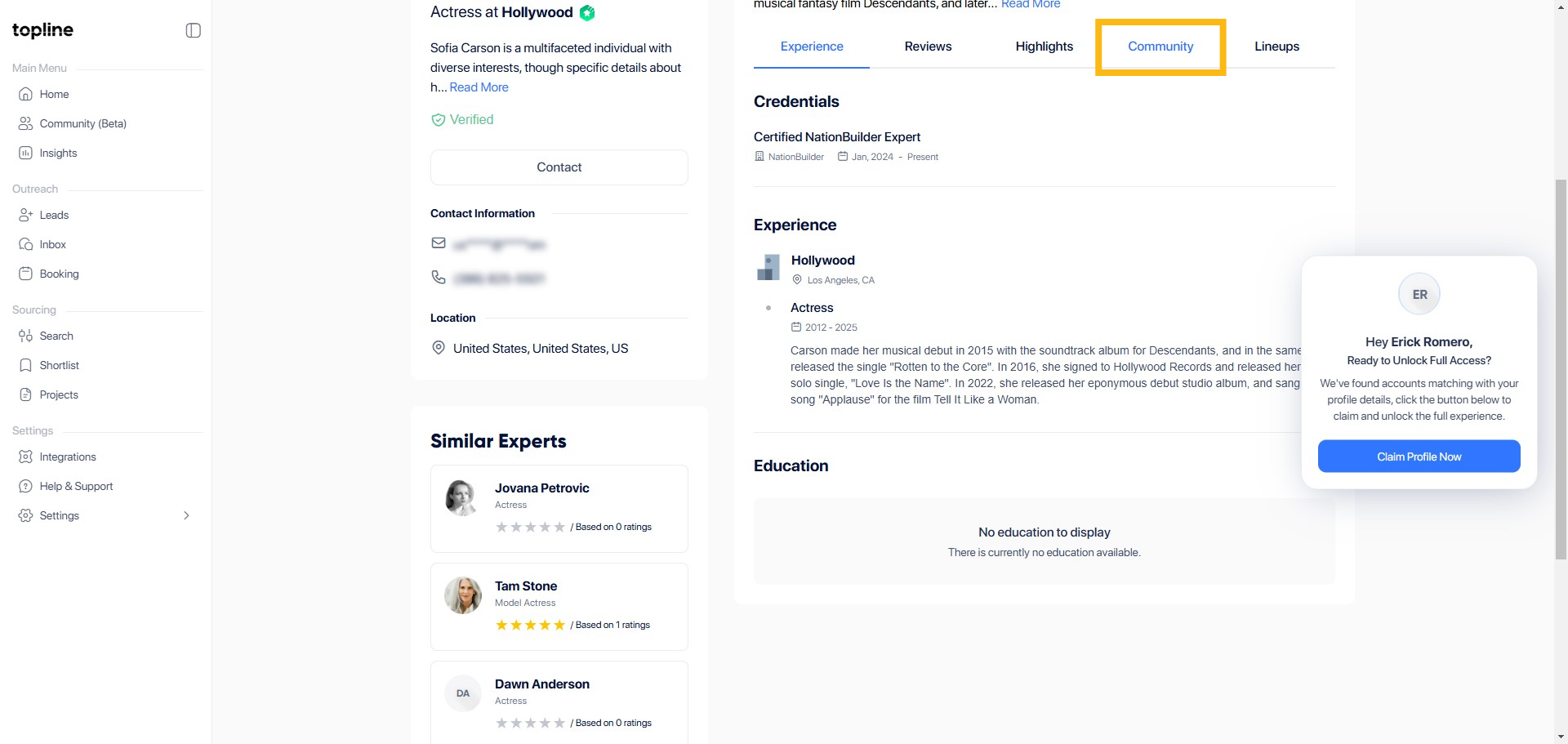
Step 3: Click Community
Start by navigating to the Community section from the main menu of your profile interface.
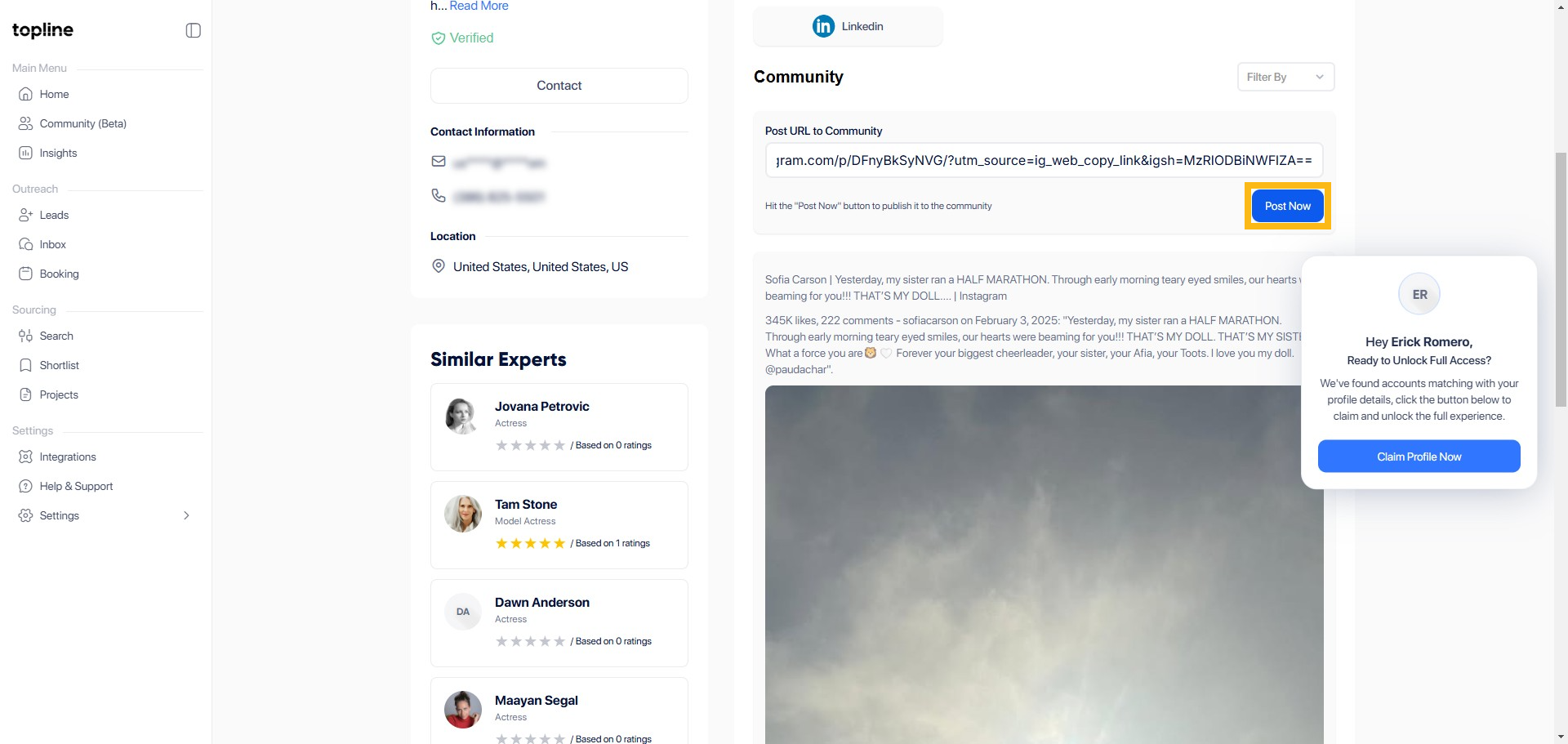
Step 4: Post the URL/Link
Enter the URL or link of the article or social media post you would like to add in the empty field provided.

Step 5: Click Post Now
After entering the value, locate the button labeled Post Now and click on it to post your entry.