Step 1: Click Credits
Start by logging in to your account through your browser. Go to the upper right corner and click Credits. This will take you to the starting page where you can check your Gold credit history.

Step 2: View All Plans
You will see a pop up box where you can click View All Plans to proceed to the next section.

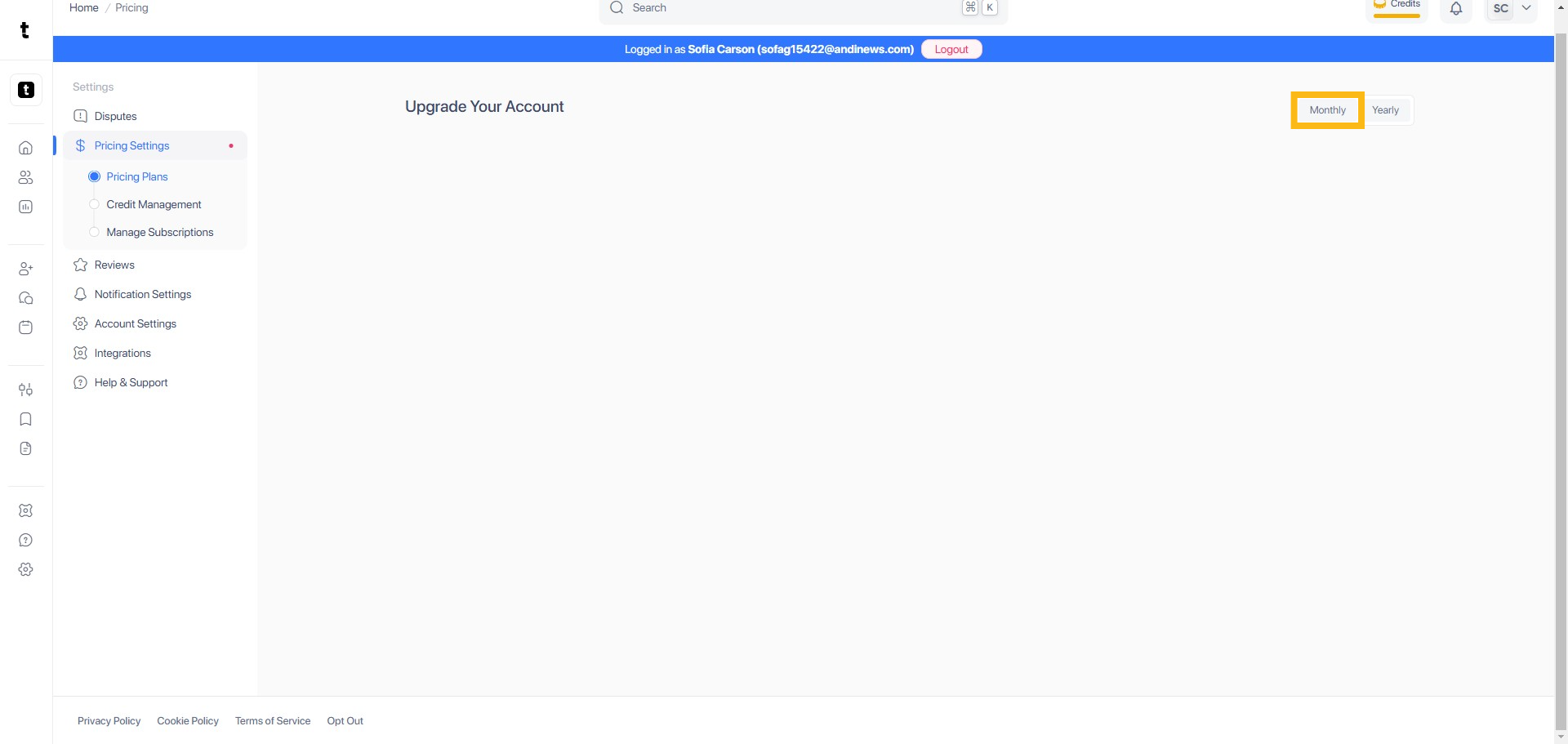
Step 3: Click Monthly Plan
Click the Monthly button. This will allow you to view details of the monthly plan associated with your Gold credit history.
Step 4: Click View Credit History
Click the View Credit History button. This will allow you to view details of the monthly plan associated with your Gold credit history.
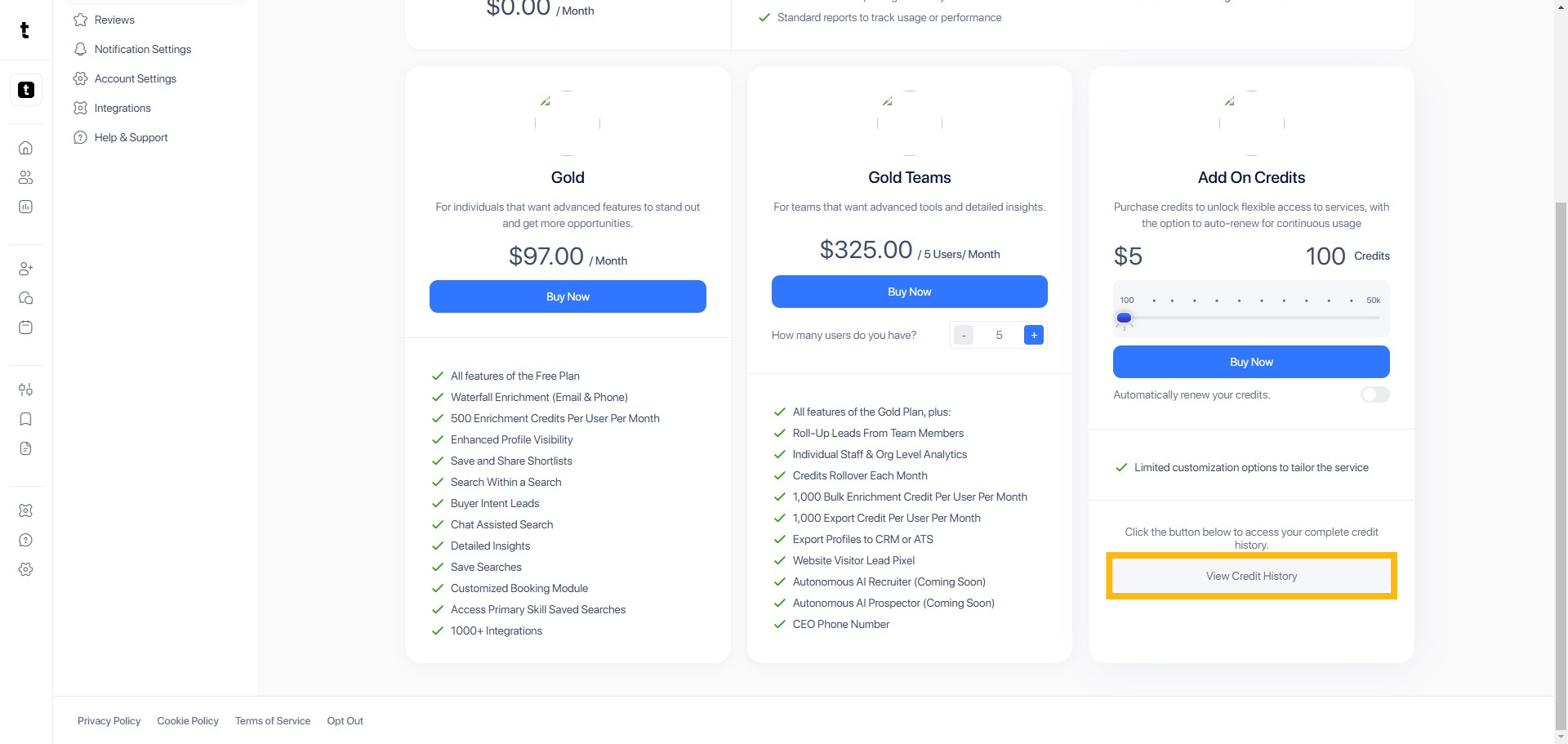
Step 5: Click Credit History
To view your credit history, scroll down and click View Credit History.
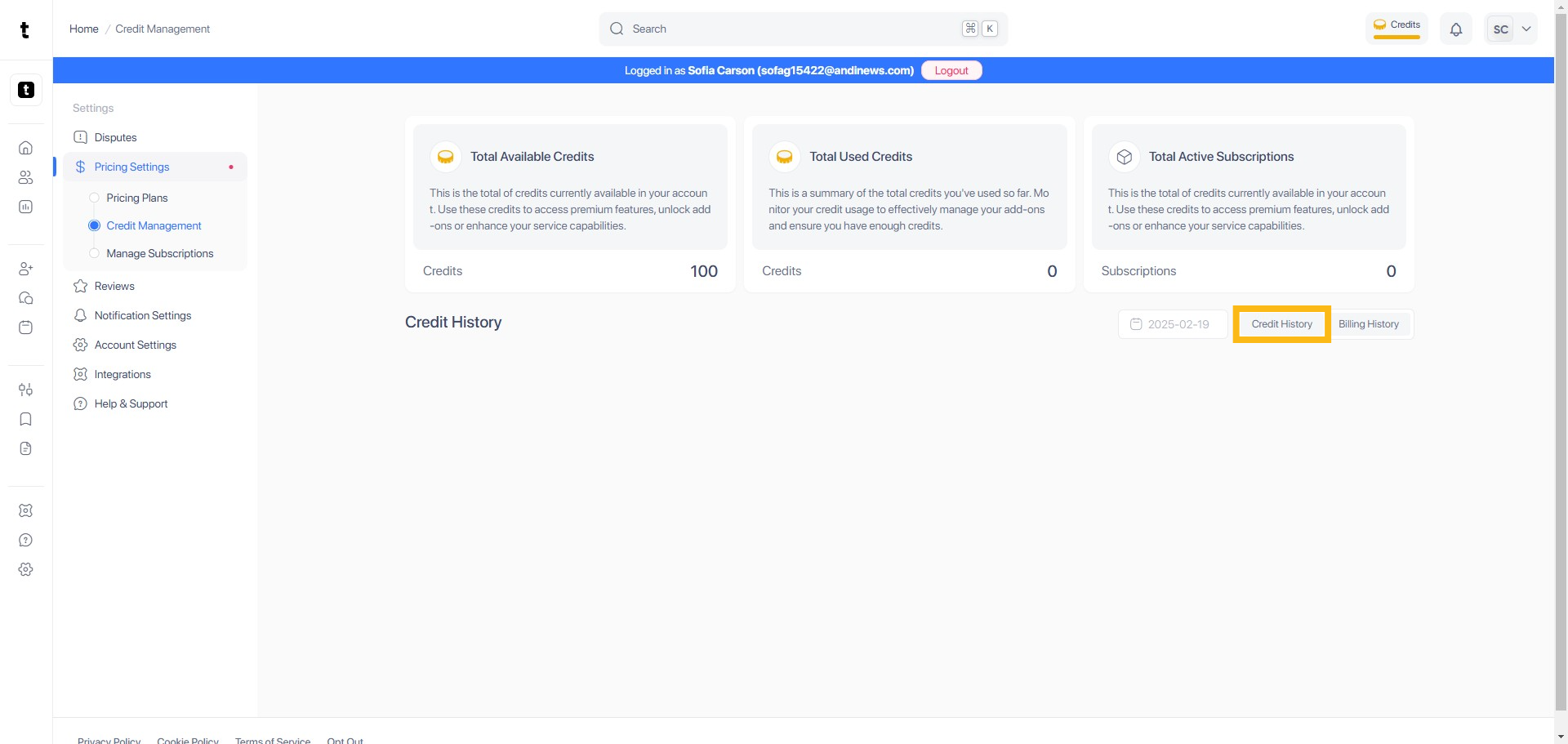
Step 6: View Credit History
You will be able to see your credit history here.

