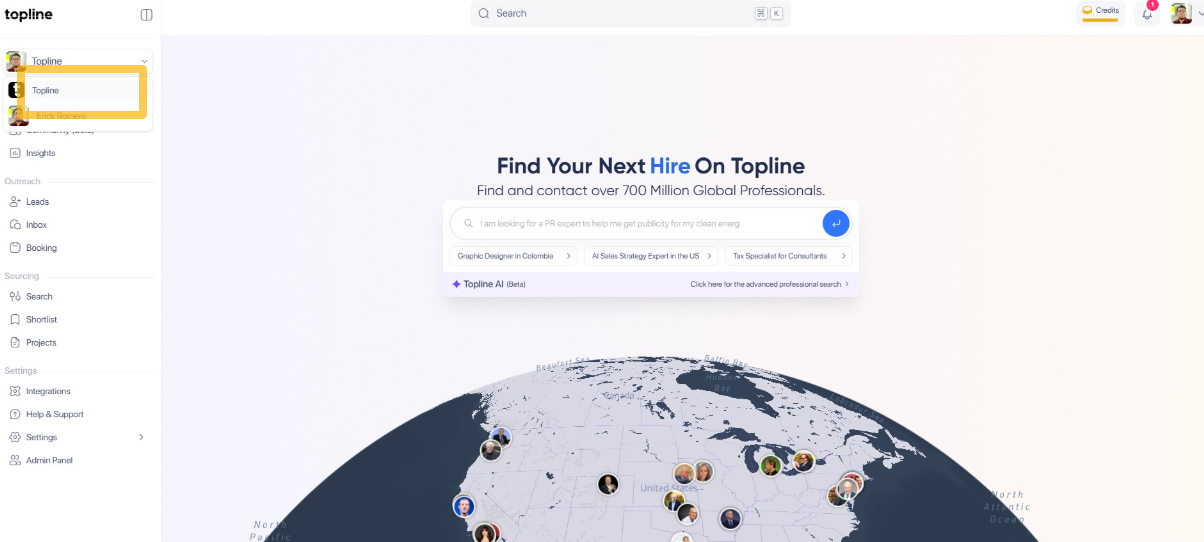
Step 1: Select the team's account
Select the team's account from the dropdown menu in the upper right corner.
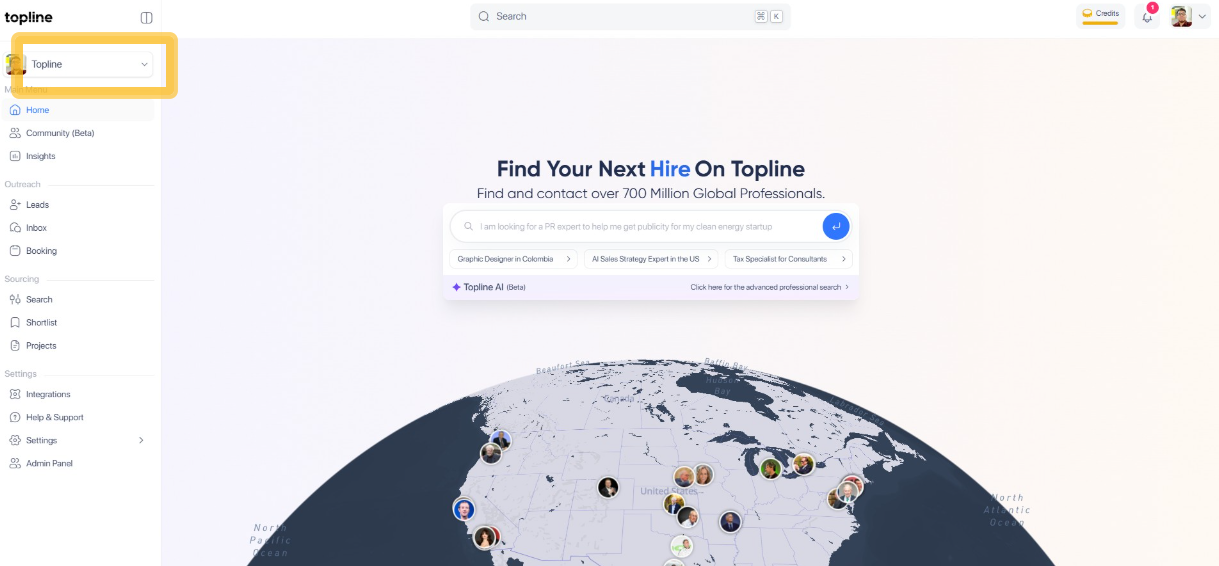
Step 2: Click the team name
Click the team account name. To use team credit, you must be logged into your team's account.
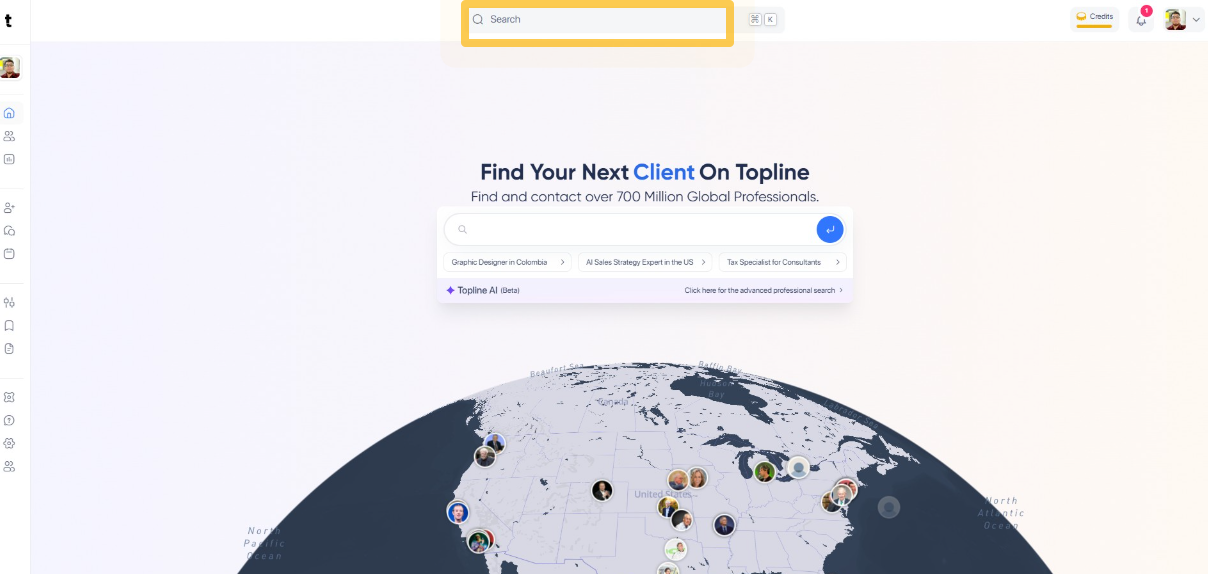
Step 3: Search View
On the Search view, select a professional you want to have more information about.
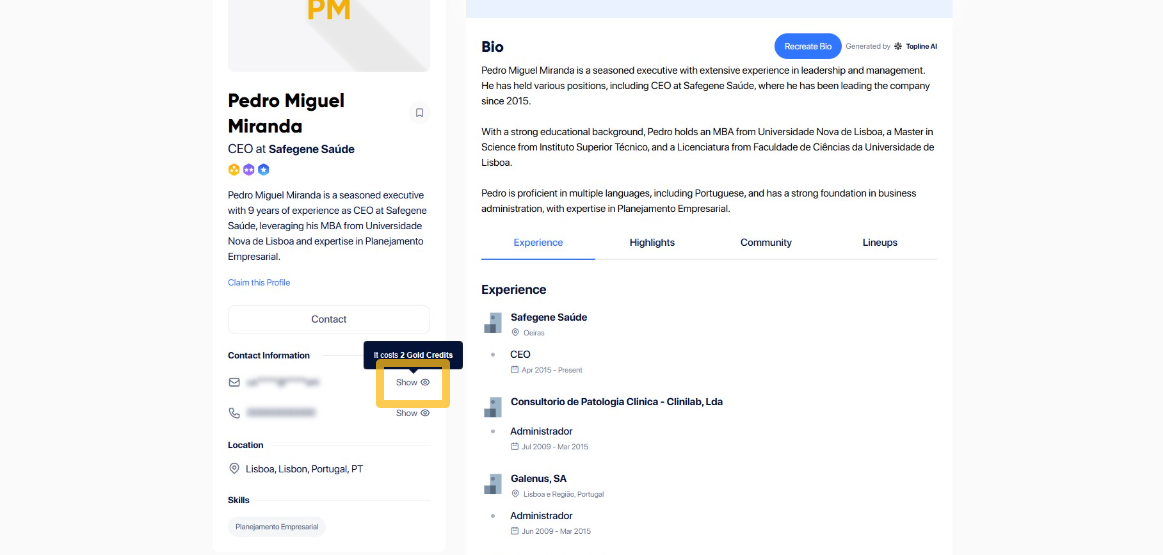
Step 4: Click on Lookup Email
Looking up for an email costs 2 Gold credits. To continue the process, click on Lookup Email.
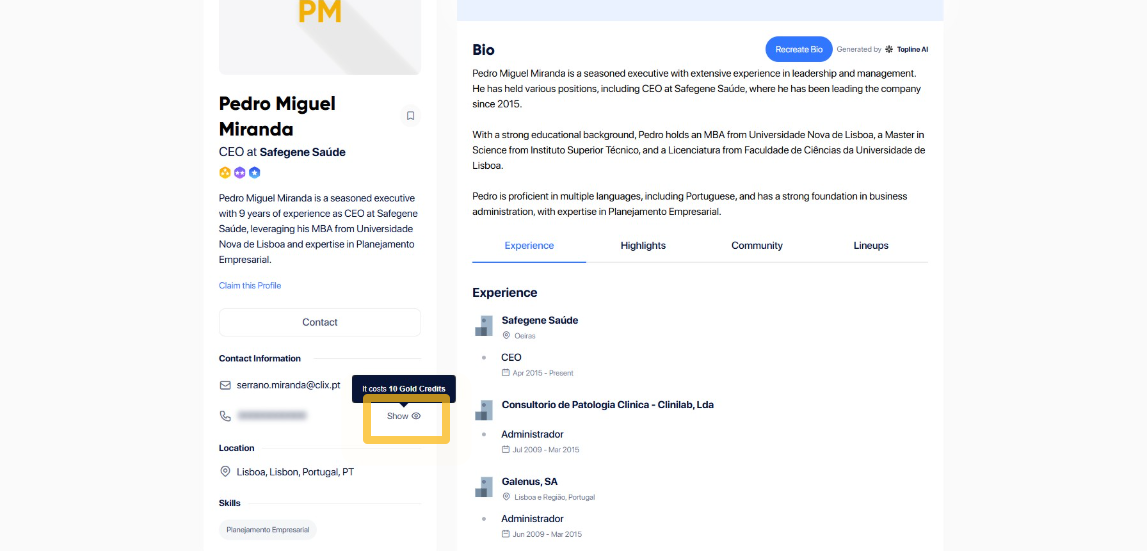
Step 5: Click on Lookup Phone
Looking up for a professional's phone number has a 10 Gold credits cost. Click on Lookup Phone to complete the process.
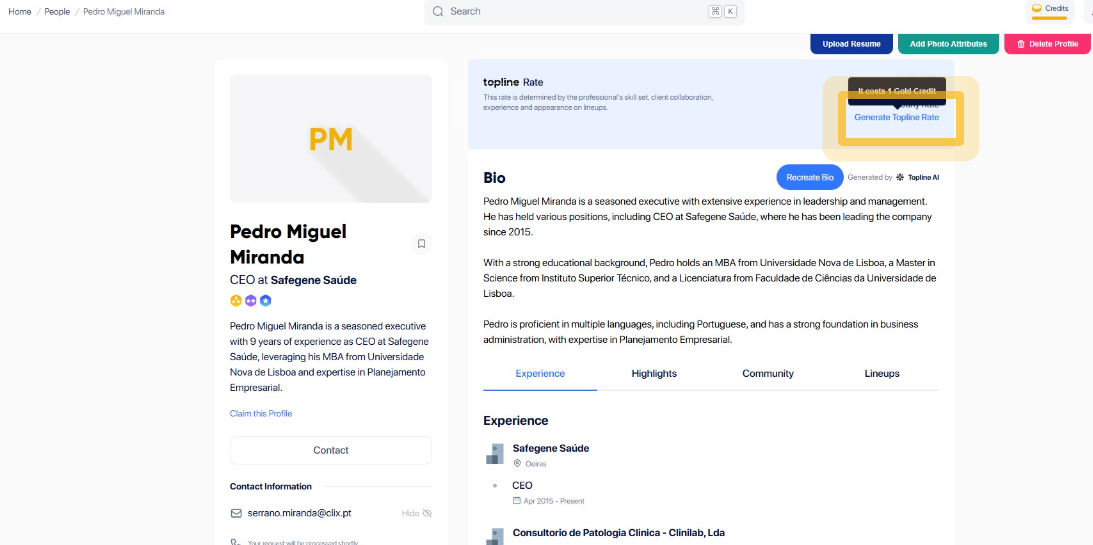
Step 6: Click Generate Topline Rate
You can also use Gold credits to check the professional's inferred rate. To do so, click on the Generate Topline Rate.
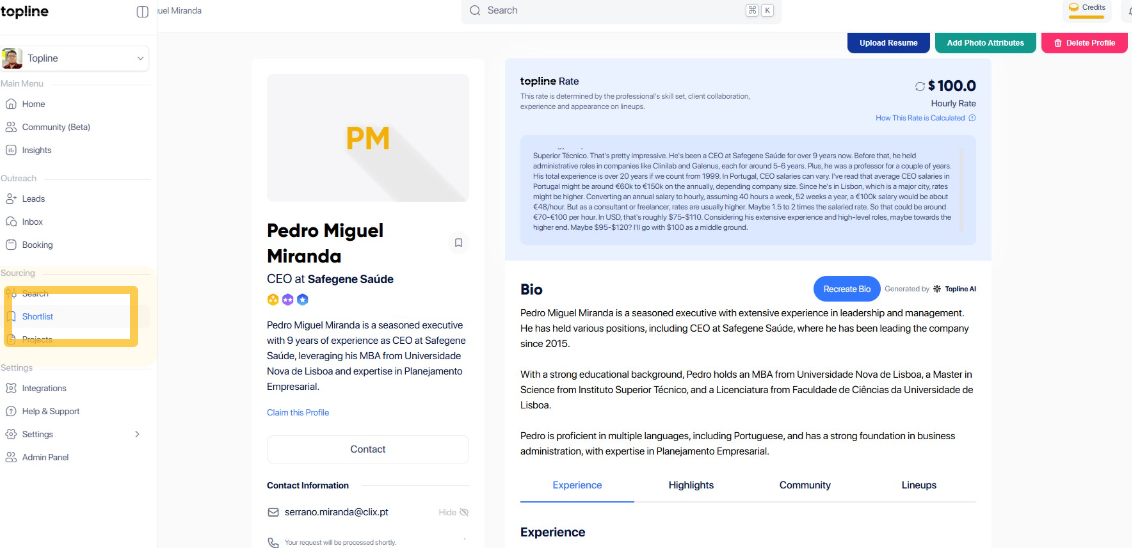
Step 7: Click Shortlist
On your shortlist view, look for the professional you want to have more information from. Click Shortlist on the lower left panel.
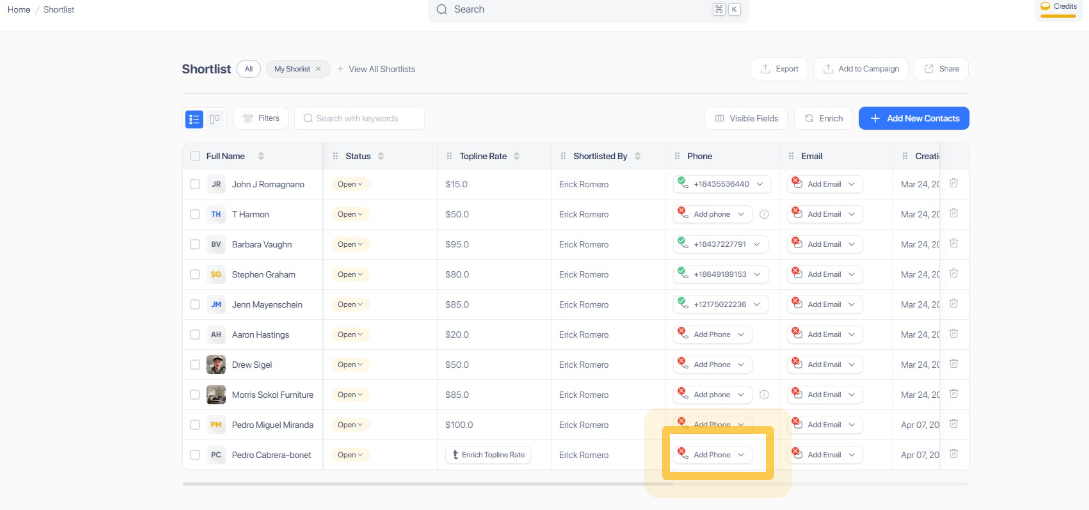
Step 8: Click Add Phone
Click on Lookup Phone to complete the process. Looking up for a professional's phone number has a 10 Gold credits cost.
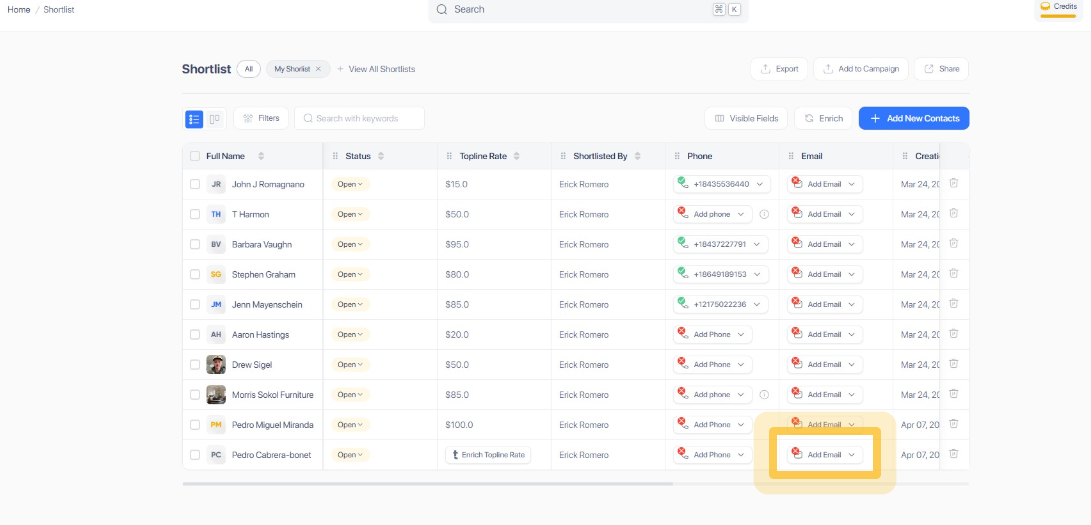
Step 9: Click Add Email
To use credits to find your professional's email, click on Add Email. Looking up for an email costs 2 Gold credits.
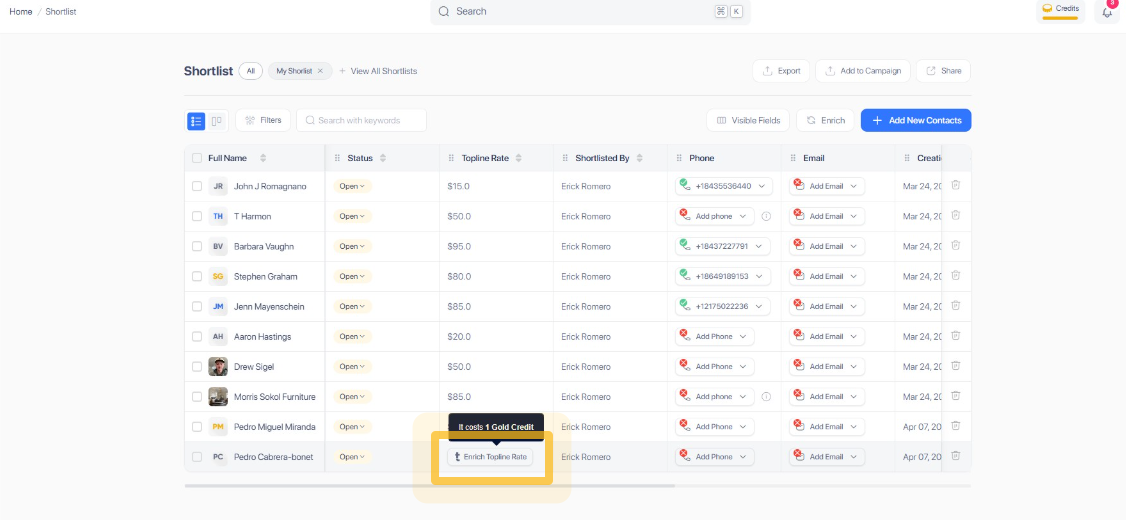
Step 10: Click Enrich Topline Rate
You can also use Gold credits to check the professional's inferred rate. To do so, click on Enrich Topline Rate.