Step 1: Click Leads
Using your preferred browser, go to topline.com and click on Leads, located on the left side menu.

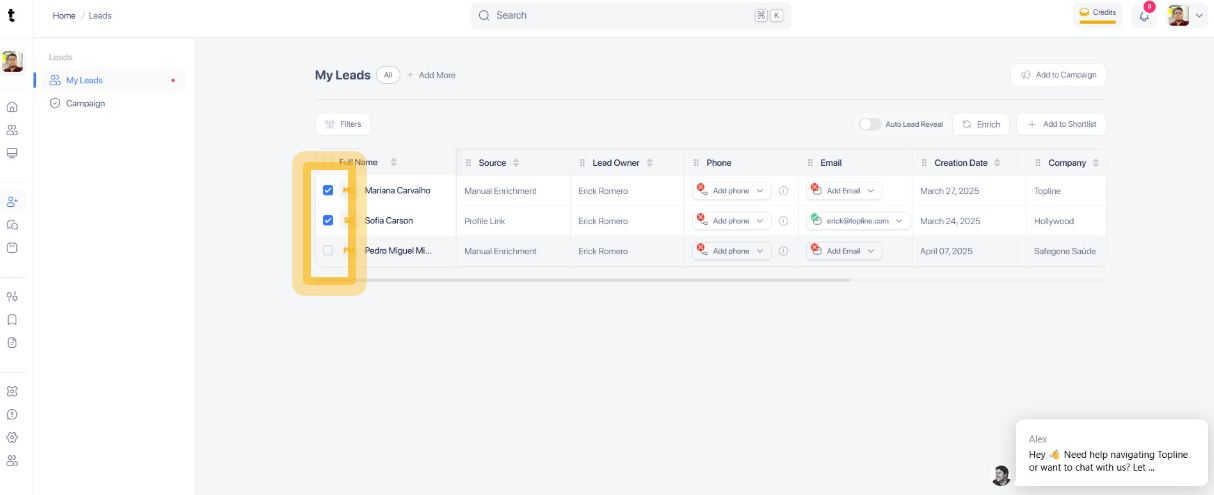
Step 2: Tick the box
Scan through your shortlist to find leads that do not have a phone number or email address added. Tick the box to select the profile.
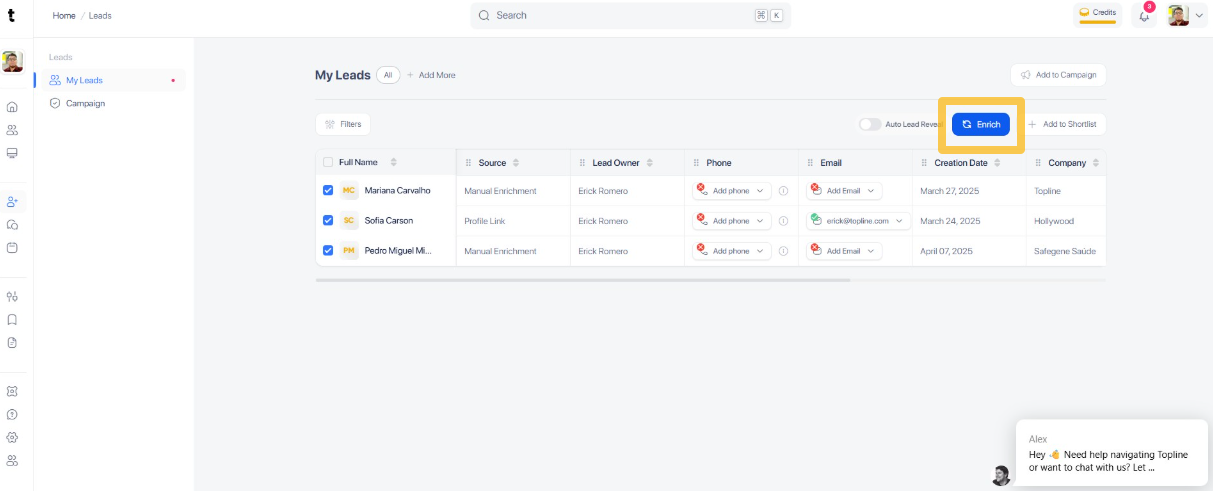
Step 3: Click Enrich button
Click the Enrich button to start the enrichment process for the lead profile.
Step 4: Choose from the menu
Select between Lookup Phone, Lookup Email or Lookup Lead.

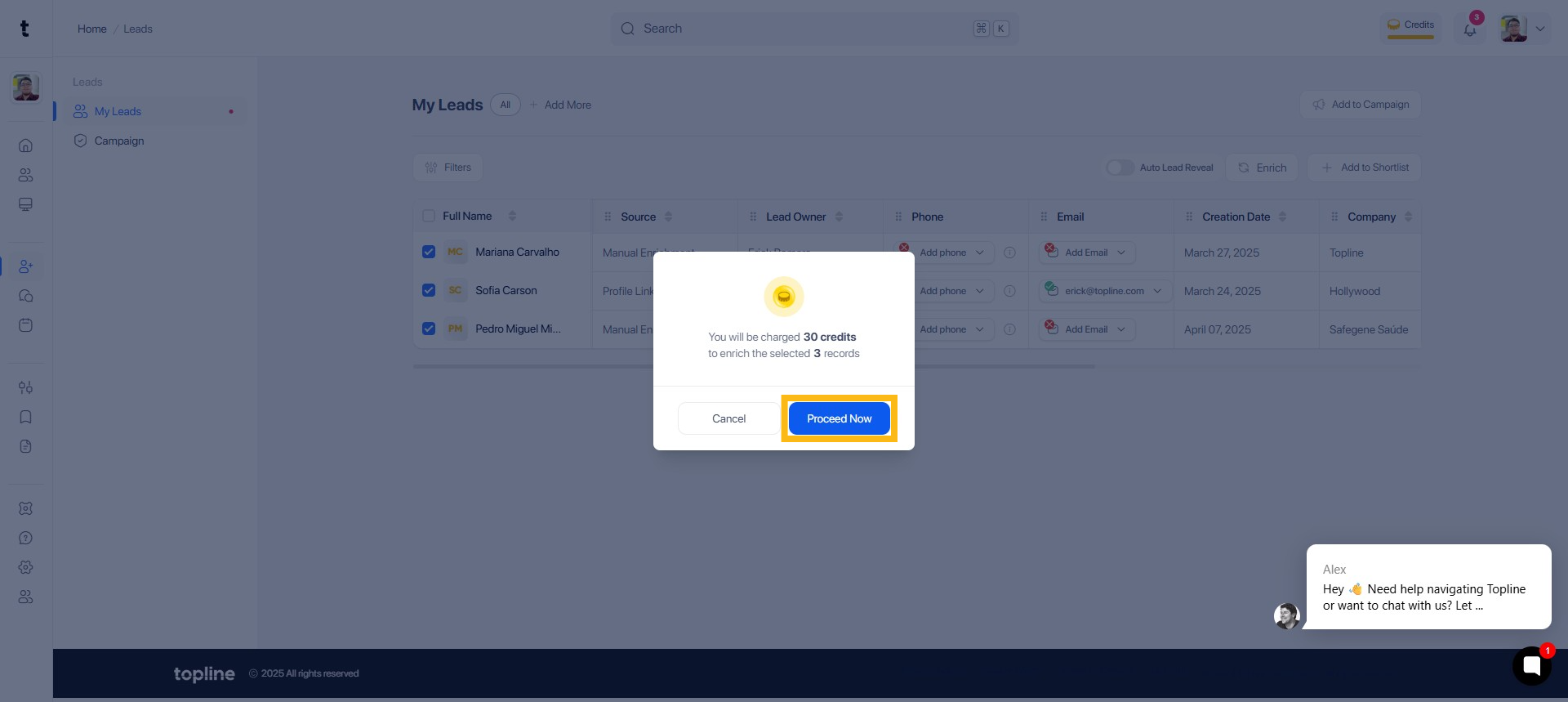
Step 5: Click Proceed Now
Click Proceed Now to continue enriching the selected records. Credits will be charged.